

Reproducible script
Science relies on analyses that others can check and repeat. nimo makes this possible without writing code: every step run in the app is recorded, with the exact options chosen, as an R script that reproduces the analysis.
Why a script?
- Transparency: reviewers and colleagues can see every setting used, from the calibration area to the model hyperparameters.
- Repeatability: running the script in R gives the same results as the app, including the steps that involve chance (partitions, background points, random forests), because the same random seed is used.
- Reuse: the same workflow can be applied to another species or region by changing the input files.
- Learning: the script shows how each step is carried out in R, which helps users who want to learn the language.
- Reporting: the script documents the methods for a publication or a report and can be shared as supplementary material.
Following the script in the app
Open Script in the sidebar. The left panel shows the script as it is built; the Recorded steps list on the right shows the steps recorded so far, in the order of the workflow.
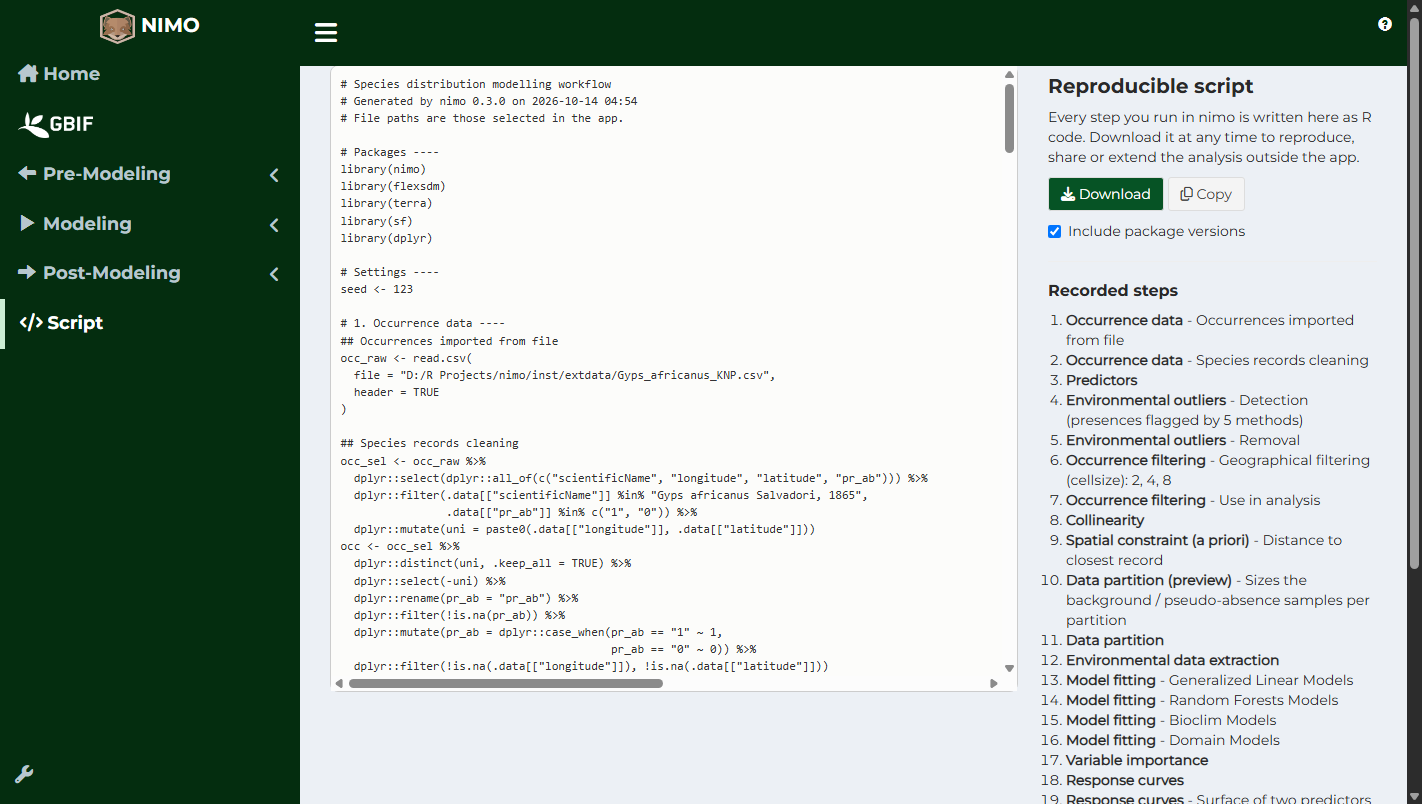
Each part of the script corresponds to a step of the app:
- Occurrence data (file import or GBIF query, then cleaning)
- Study area
- Predictors, environmental outliers, occurrence filtering, collinearity, principal components and spatial constraint
- Calibration area
- Partition and background or pseudo-absence points
- Environmental data extraction
- Model fitting, tuning and Ensembles of Small Models
- Variable importance and response curves
- Ensembles
- Predictions, extrapolation, uncertainty and overprediction correction
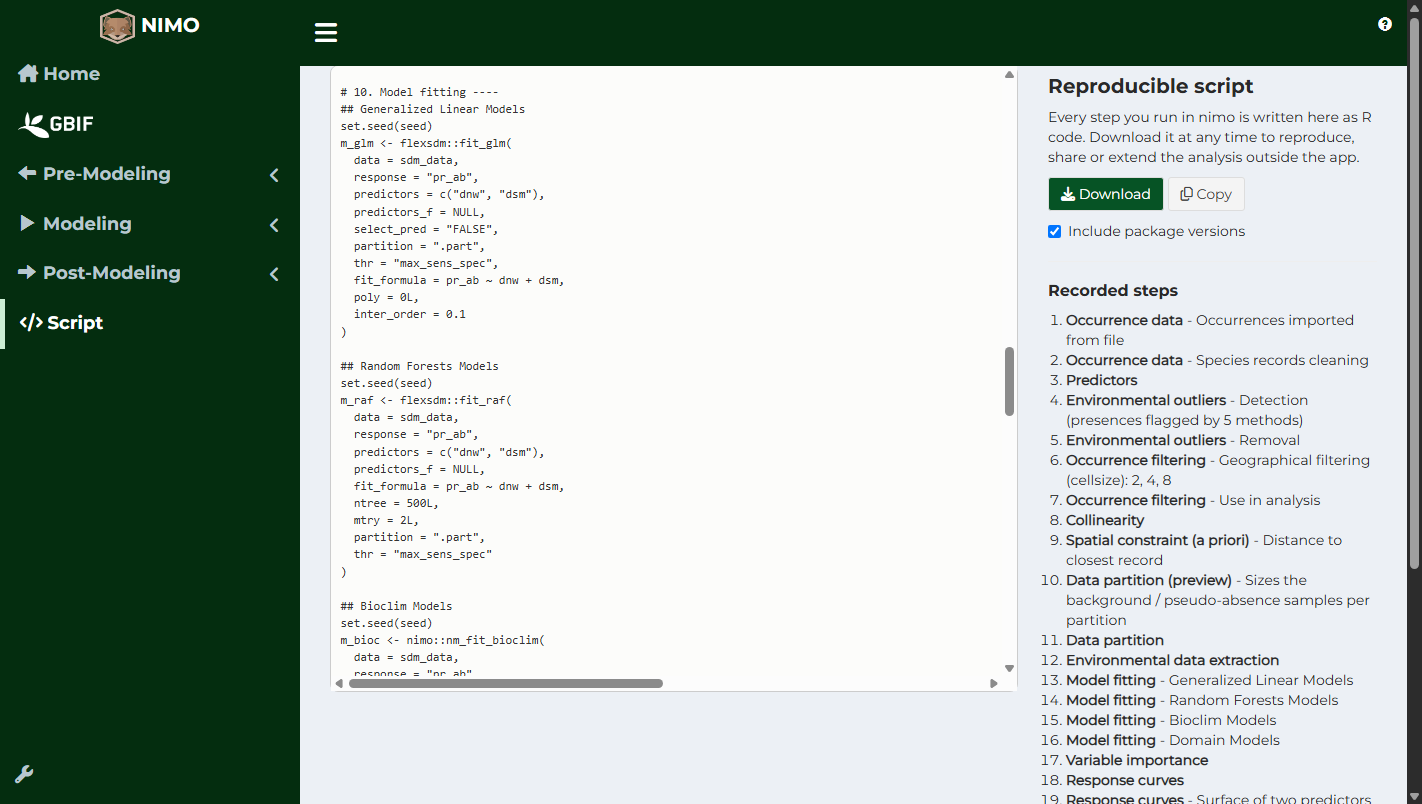
When a step is run again with different options, the script keeps only the latest version. If an earlier step is changed after a later one was run (for example, the partition is changed after the models were fitted), the later step is marked in the script: re-run it in the app so that the app and the script stay consistent.
Downloading the script
Click Download to save the script as an R file (nimo_workflow_<date>.R). Copy puts it on the clipboard. Include package versions adds the versions of R and of the main packages at the end of the script, which helps reproduce results years later. Clear recorded steps starts a script from scratch, without changing the results in the app.
Running the script
- Install R (and optionally RStudio) and nimo, as described in Get Started.
- Open the script in RStudio or any R editor.
- Check the file paths: they are the paths selected in the app. Update them if the data have moved or if the script runs on another computer.
- Run the whole script.
The random seed is set at the top of the script. It is the seed defined in the app configuration (wrench icon at the bottom of the sidebar, Set seed). Change it in the app before running an analysis to use another seed, or in the script to test how sensitive the results are to chance.
Data from GBIF
Records downloaded from GBIF are recorded as the query itself. GBIF data change as datasets are added or corrected, so the query may return different records in the future. To reproduce an analysis exactly, export the records (GBIF menu, Export), keep the file with the script, and cite the datasets listed in the Citation tab.





One Comment